
(469) 436-6127

Direct-to-film (DTF) printing has revolutionized the apparel decoration industry, offering vibrant colors, excellent durability, and versatility across various fabrics. However, like any printing process, DTF transfers can encounter challenges. This dtf transfer troubleshooting guide provides a comprehensive look at common problems and offers detailed solutions to help you achieve flawless prints every time. Whether you're new to DTF or an experienced user, this guide will equip you with the knowledge to overcome obstacles and maximize your DTF printing potential.
Table of Contents
One of the most frustrating DTF transfer issues is poor adhesion, where the design doesn't properly bond with the fabric. Several factors can contribute to this problem:
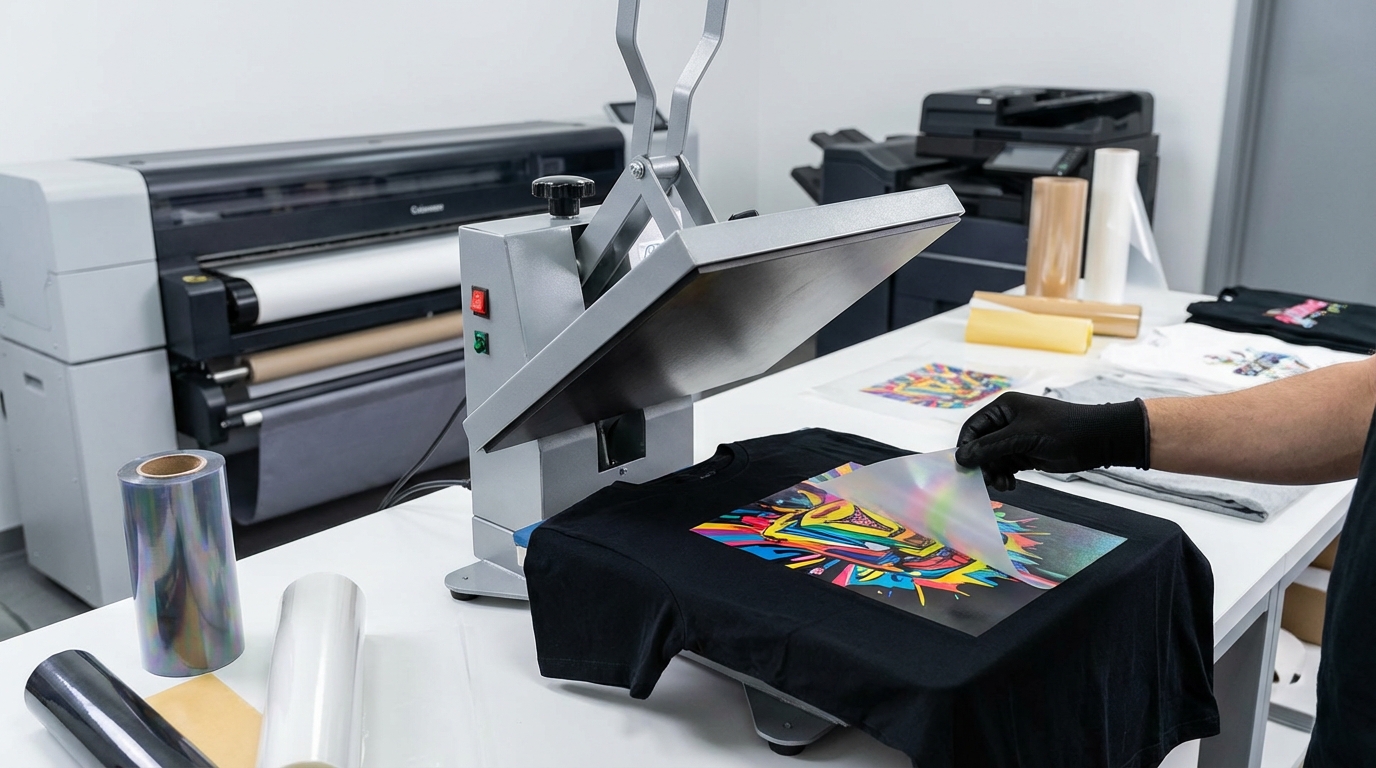
Problem: The heat press may not be reaching the required temperature, or the pressure may be too light.
Solution:
Problem: Moisture in the fabric can hinder adhesion.
Solution: Pre-press the garment to remove moisture and wrinkles. This creates a smooth, dry surface for optimal bonding.
Problem: Some fabrics, especially those with special coatings, may not be suitable for DTF transfers.
Solution: Test the transfer on a small, inconspicuous area of the fabric before applying it to the entire garment. Consider using a different fabric or exploring alternative transfer methods. According to DTF Center, their transfers work best on cotton, polyester, and cotton/poly blends. See our custom DTF transfers by size.
Problem: Substandard materials can compromise adhesion.
Solution: Use high-quality DTF film and powder from a reputable supplier. DTF Center prides itself on using premium materials for durable and vibrant transfers. Learn more about DTF Center.
Ink bleeding or blurring results in a fuzzy or distorted image, detracting from the print's clarity. Addressing this issue promptly is essential for maintaining print quality. This dtf transfer troubleshooting guide can help resolve these issues.
Problem: Too much ink on the film can cause it to spread during the pressing process.
Solution:
Problem: Temperatures that are too high can cause the ink to melt and bleed.
Solution: Lower the heat press temperature by a few degrees and test the transfer again. Refer to the film and powder manufacturer's recommendations for optimal temperature settings.
Problem: Low-quality film may not hold the ink properly, leading to bleeding.
Solution: Switch to a higher-quality DTF film known for its ink absorption and retention capabilities. DTF Center emphasizes the importance of quality film for sharp, clean prints. Browse our DTF supplies.
Uneven ink coverage results in a patchy or inconsistent print, diminishing the visual appeal. This dtf transfer troubleshooting guide helps identify and fix the problem.
Problem: Clogged nozzles prevent ink from being dispensed evenly.
Solution:
Problem: Settled or poorly mixed ink can lead to uneven distribution.
Solution: Gently agitate the ink cartridges or bottles before each print job to ensure the pigments are evenly dispersed.
Problem: A damaged print head may cause inconsistent ink flow.
Solution: Consider replacing the print head if cleaning and maintenance do not resolve the issue. Consult a qualified technician for assistance.
Color inaccuracy occurs when the printed colors deviate from the intended design, affecting the overall aesthetics. Ensuring color fidelity is crucial for professional-looking results. This dtf transfer troubleshooting guide helps you address color issues effectively.
Problem: Using the wrong color profile can lead to color shifts.
Solution:
Problem: Old or expired ink can lose its vibrancy and accuracy.
Solution: Check the expiration dates on your ink cartridges or bottles and replace any expired ink. Store ink in a cool, dark place to prolong its shelf life.
Problem: The color of the fabric can affect the final print color.
Solution: Consider using a white underbase for colored fabrics to create a neutral base for the ink. DTF Center offers white ink solutions for vibrant prints on dark garments. Shop DTF ink.
Cracking or peeling after washing indicates poor durability and can significantly reduce the lifespan of the print. This dtf transfer troubleshooting guide provides solutions to enhance wash resistance.
Problem: Inadequate curing can prevent the ink from fully bonding with the fabric.
Solution:
Problem: Harsh detergents and high-temperature washing can damage the print.
Solution: Wash garments inside out in cold water with a mild detergent. Avoid using bleach or fabric softeners. Tumble dry on low heat or hang to dry.
Problem: Low-quality ink may not have the necessary durability for repeated washing.
Solution: Use high-quality DTF ink known for its wash resistance. DTF Center's inks are formulated for long-lasting, vibrant prints. Shop DTF ink.
Film lifting during pressing can disrupt the transfer process and lead to incomplete or distorted prints. This dtf transfer troubleshooting guide helps prevent this issue.
Problem: Temperatures that are too high can cause the film to lift or bubble.
Solution: Lower the heat press temperature and test the transfer again. Refer to the film manufacturer's recommendations for optimal temperature settings.
Problem: Inadequate pressure may not provide enough contact for the transfer to adhere properly.
Solution: Increase the pressure setting on your heat press. Medium pressure is recommended.
Problem: Static can cause the film to lift or move during pressing.
Solution: Use an anti-static spray or wipe to reduce static electricity. Ground your heat press to minimize static buildup.
Static cling can make it difficult to handle the DTF film and position it accurately on the fabric. This dtf transfer troubleshooting guide offers solutions to minimize static.
Problem: Dry environments exacerbate static cling.
Solution: Increase the humidity in your work area using a humidifier. Maintain a humidity level of 40-60%.
Problem: Improper storage can increase static buildup.
Solution: Store DTF film in a cool, dry place away from direct sunlight. Use anti-static packaging or sleeves.
Problem: General static interference.
Solution: Use an anti-static mat or wrist strap to discharge static electricity before handling the film. Wipe down surfaces with an anti-static cleaner.
Regular equipment maintenance is essential for preventing problems and ensuring consistent print quality. Ignoring maintenance can lead to costly repairs and downtime. This dtf transfer troubleshooting guide highlights key maintenance tasks.
Problem: Ink buildup and debris can affect printer performance.
Solution: Clean your printer regularly, including the print head, capping station, and wiper blade. Follow the manufacturer's recommended cleaning procedures.
Problem: Running out of ink mid-print can cause issues.
Solution: Monitor ink levels and replace cartridges or bottles before they run out. Use high-quality ink to prevent clogging and ensure consistent color output.
Problem: Outdated software can cause compatibility issues and printing errors.
Solution: Keep your printer drivers and RIP software up to date. Check the manufacturer's website for the latest updates.
The ideal temperature for DTF transfers is 282°F (139°C). However, always refer to the specific recommendations from the film and powder manufacturer.
Several factors can cause poor adhesion, including insufficient heat or pressure, moisture in the fabric, incompatible fabric, or low-quality DTF film and powder. Ensure you are using the correct settings and materials for optimal bonding.
To prevent cracking, ensure adequate curing of the ink, wash garments inside out in cold water with a mild detergent, and use high-quality DTF ink known for its wash resistance.
In conclusion, DTF printing offers fantastic opportunities for creating custom apparel and promotional items. By understanding common challenges and implementing these dtf transfer troubleshooting solutions, you can ensure consistent, high-quality results. Remember to use quality materials, maintain your equipment, and follow best practices for optimal performance. DTF Center is here to help you every step of the way with high-quality DTF transfers and UV DTF stickers. Order DTF transfers by size or UV DTF stickers.
About DTF Center: DTF Center provides custom DTF transfers and UV DTF stickers with same-day shipping and local pickup options. We specialize in high-quality, durable prints for apparel and promotional items. Our commitment to quality and customer satisfaction makes us a trusted partner for all your DTF printing needs. Visit us at dtfcenter.com to learn more.

Same-day DTF transfers, gang sheets and UV DTF stickers printed in Dallas, Texas and shipped nationwide. No minimums, no setup fees, over 80,000 inches printed daily.
