
(469) 436-6127

Are you struggling to achieve consistent, high-quality results with your DTF transfers? The key to vibrant, durable prints lies in mastering your dtf transfer heat press settings. This comprehensive guide will walk you through the optimal temperature, pressure, and time settings for various DTF transfer types, helping you eliminate common issues like peeling, cracking, and fading. Whether you're a seasoned professional or just starting out, understanding these settings is crucial for maximizing the potential of your DTF printing process.
Here's what we'll cover:
Before diving into specific settings, it's essential to understand the core elements that influence DTF transfer quality. These include temperature, pressure, and time. Each factor plays a crucial role in ensuring the adhesive melts properly and bonds securely to the fabric.
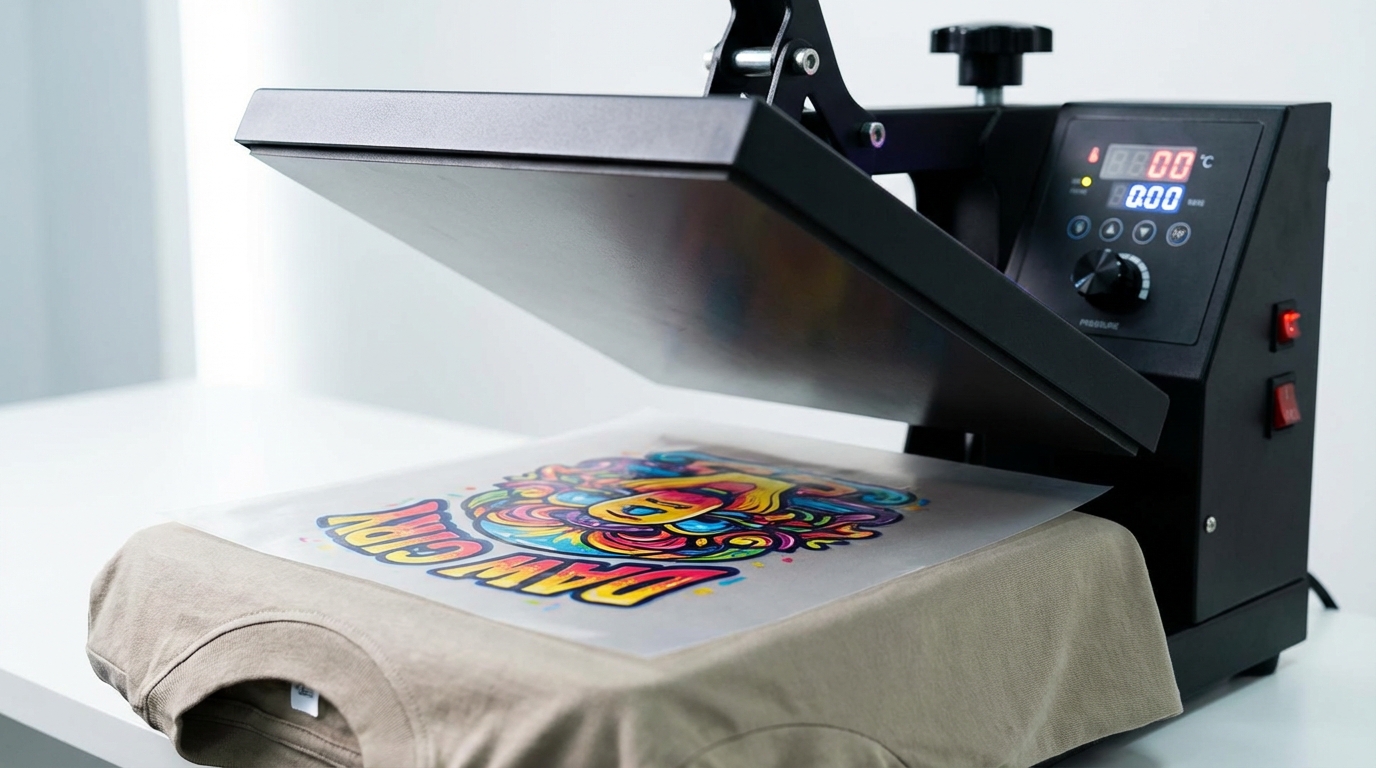
Temperature is perhaps the most critical factor. Too low, and the adhesive won't melt sufficiently, leading to poor adhesion. Too high, and you risk scorching the transfer or damaging the fabric. The ideal temperature for our DTF transfers is 282°F (139°C). Always consult the manufacturer's recommendations for guidance. DTF Center uses high-quality inks and films that are tested for consistent results. Shop custom DTF transfers by size.
Pressure ensures uniform contact between the transfer film, adhesive, and fabric. Insufficient pressure can result in uneven adhesion, while excessive pressure can distort the image or damage delicate fabrics. Medium pressure is recommended. A good rule of thumb is to apply enough pressure to leave a slight indentation on the platen after pressing.
The dwell time, or pressing time, determines how long the heat and pressure are applied. Insufficient time can lead to incomplete adhesion, while excessive time can cause the adhesive to over-cure, resulting in a stiff or brittle feel. Press for 10 seconds on cotton or 6 seconds on polyester.
Not all DTF transfers are created equal. Different types of transfers, such as those for light vs. dark fabrics, or those with special effects like glitter or flock, may require slightly different heat press settings. Here's a breakdown of recommended settings for common DTF transfer types.
Important Note: These settings are general guidelines. Always test a small piece of fabric with your specific transfer before applying it to the final product.
Several factors can influence the optimal heat press settings for your DTF transfers. These include:
Even with the correct heat press settings, you may still encounter issues with your DTF transfers. Here are some common problems and their potential solutions:
When troubleshooting, keep a detailed log of your settings and results. This will help you identify patterns and pinpoint the cause of the problem. Consider these questions:
Proper maintenance is essential for ensuring your heat press operates efficiently and accurately. Here are some key maintenance tips:
The ideal temperature for DTF transfers is 282°F (139°C). However, the exact temperature will depend on the specific DTF film, ink, and fabric you're using. Always consult the manufacturer's recommendations for guidance. DTF Center’s transfers are tested for reliable results at these temperatures.
Press DTF transfers for 10 seconds on cotton or 6 seconds on polyester. However, the exact time will depend on the transfer type and fabric. Again, consult the manufacturer's recommendations.
Medium pressure is recommended for DTF transfers. However, the ideal pressure can vary depending on the transfer type and fabric. Apply enough pressure to leave a slight indentation on the platen after pressing.
While it's technically possible to use a household iron for DTF transfers, it's not recommended. Household irons typically don't provide consistent temperature or pressure, which can lead to poor results. A heat press is the best tool for achieving high-quality DTF transfers.
Peeling is often caused by insufficient temperature, pressure, or pressing time. Increase the temperature, pressure, or time slightly and try again. Also, ensure that the fabric is clean and dry before applying the transfer.
Mastering dtf transfer heat press settings is crucial for achieving professional-quality results. By understanding the fundamentals of temperature, pressure, and time, and by following the recommendations in this guide, you can consistently produce vibrant, durable prints that will impress your customers. Remember to always test your settings on a scrap piece of fabric before applying them to your final product. With practice and attention to detail, you'll be well on your way to becoming a DTF transfer expert.
DTF Center provides custom DTF transfers, UV DTF stickers, and related services with same-day shipping and local pickup options. We specialize in high-quality, durable prints for apparel and promotional items, ensuring your designs look their best. Visit us at DTF Center to explore our offerings.

Same-day DTF transfers, gang sheets and UV DTF stickers printed in Dallas, Texas and shipped nationwide. No minimums, no setup fees, over 80,000 inches printed daily.
