
(469) 436-6127

Direct-to-Film (DTF) printing has revolutionized garment decoration, offering vibrant and durable prints on a variety of fabrics. However, even with the best equipment and materials, you might encounter some common DTF printing troubleshooting issues. This comprehensive guide will walk you through the most frequent problems and provide effective solutions to get your DTF printer running smoothly. Whether you're experiencing poor adhesion, color inconsistencies, or nozzle clogs, we've got you covered. DTF Center is committed to helping you achieve the best possible results with your DTF printing setup.
Table of Contents
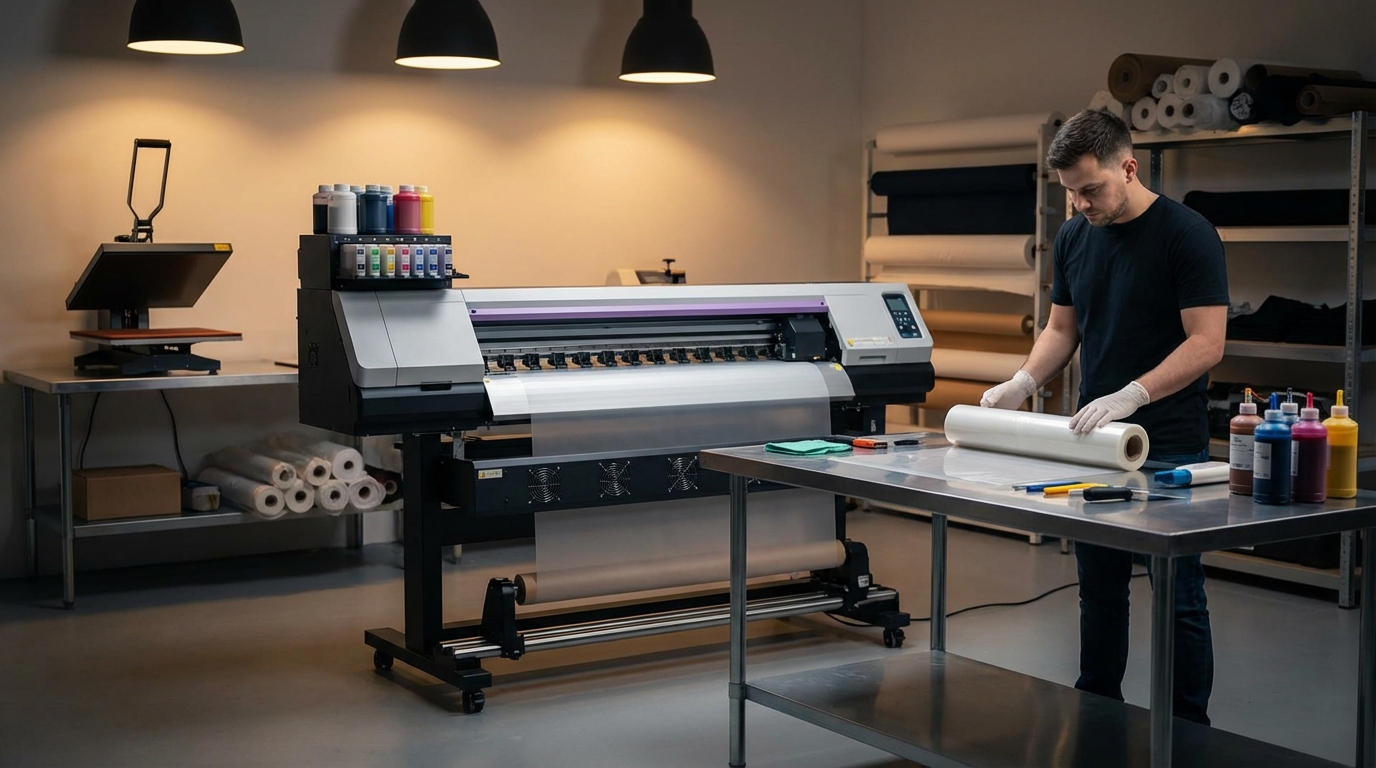
One of the most frustrating DTF printing problems is poor adhesion, where the print doesn't properly bond to the fabric. Several factors can contribute to this issue. Let's explore the common causes and how to fix them:
Problem: The heat press temperature, pressure, or dwell time isn't set correctly. This is the most common cause of poor adhesion. According to a study by Smithers Pira, proper temperature control during heat transfer is crucial for optimal bonding.
Solution: Consult the manufacturer's recommendations for your DTF film and powder. Press at 282°F (139°C) for 10 seconds on cotton or 6 seconds on polyester with medium pressure. Experiment and adjust based on your specific materials.
Problem: Insufficient or uneven powder application. The DTF powder acts as an adhesive, so a proper coating is essential.
Solution: Ensure the powder is evenly distributed across the entire printed area. Use a shaker or automated powder application system for consistent results. Remove excess powder before curing. DTF Center recommends using high-quality TPU powder for best adhesion.
Problem: Using incompatible film and powder can lead to poor adhesion. Different films and powders have varying melting points and adhesive properties.
Solution: Always use film and powder that are designed to work together. Purchase from reputable suppliers and check for compatibility information. You can find high-quality DTF supplies at DTF Center.
Problem: Some fabrics may require pre-treatment to improve adhesion. This is especially true for synthetic fabrics.
Solution: Use a pre-treatment spray specifically designed for DTF printing. Apply it evenly to the fabric and allow it to dry completely before printing. Follow the manufacturer's instructions for best results.
Color accuracy and vibrancy are crucial for high-quality DTF prints. Several factors can affect the colors in your prints. Let's look at common color issues and how to resolve them.
Problem: Using the wrong color profile in your RIP software can lead to inaccurate colors. Color profiles define the range of colors that your printer can reproduce.
Solution: Install and use the correct color profile for your printer, ink, and film. These profiles are usually provided by the printer or ink manufacturer. Ensure your design software is also using the correct color space (e.g., sRGB or Adobe RGB).
Problem: Low-quality or incompatible inks can produce dull or inaccurate colors. Ink quality directly impacts the vibrancy and longevity of your prints.
Solution: Use high-quality DTF inks from a reputable supplier. Ensure the inks are compatible with your printer and film. Consider purchasing inks from DTF Center for consistent and vibrant results.
Problem: An uncalibrated printhead can cause color inconsistencies. Over time, printheads can drift out of alignment, leading to color shifts.
Solution: Regularly calibrate your printhead using the printer's built-in calibration tools. This ensures that the colors are printed accurately. Refer to your printer's manual for instructions.
Problem: Fluctuations in humidity and temperature can affect ink viscosity and color. These environmental factors can impact the printing process.
Solution: Maintain a stable environment in your printing area. Ideal conditions are typically around 68-77°F (20-25°C) with 40-60% humidity. Use a humidifier or dehumidifier to control humidity levels.
Nozzle clogs are a common headache in DTF printing. Clogged nozzles can cause missing lines, streaks, and poor print quality. Here's how to prevent and resolve nozzle clogs.
Problem: Infrequent printhead cleaning allows ink to dry and clog the nozzles.
Solution: Perform regular printhead cleanings using your printer's built-in cleaning function. The frequency depends on your printing volume, but at least once a week is recommended. For heavy use, consider daily cleanings.
Problem: Low-quality inks often contain impurities that can clog nozzles.
Solution: Use only high-quality DTF inks from a trusted supplier. Cheaper inks may save money initially but can lead to more frequent clogs and maintenance issues. DTF Center provides quality inks that are less prone to clogging.
Problem: Improper ink storage can cause the ink to thicken or dry out, leading to clogs.
Solution: Store your inks in a cool, dark place away from direct sunlight. Keep the ink cartridges or bottles tightly sealed to prevent evaporation. Follow the manufacturer's storage recommendations.
Problem: Persistent clogs that don't respond to regular cleaning.
Solution: Remove the printhead (if possible) and soak it in a printhead cleaning solution. Follow the instructions provided with the cleaning solution. This can help dissolve dried ink and clear the nozzles.
Applying the correct amount of DTF powder evenly is crucial for adhesion and print quality. Here's what can go wrong and how to fix it.
Problem: Powder is not evenly distributed across the printed area, leading to inconsistent adhesion.
Solution: Use a powder shaker or an automated powder application system to ensure even distribution. Gently tap the film to remove excess powder. Consider investing in a powder shaker from [INTERNAL_LINK: Products] for consistent results.
Problem: Applying too much powder can result in a thick, uneven layer, while too little powder can lead to poor adhesion.
Solution: Adjust the powder application settings to achieve the optimal coating. Experiment with different amounts of powder until you find the right balance. Visually inspect the film to ensure an even, thin layer of powder.
Problem: Static electricity can cause the powder to cling unevenly to the film.
Solution: Use an anti-static brush or spray to reduce static electricity on the film. Ground your work surface to further minimize static buildup.
The quality and type of DTF film you use can significantly impact your print results. Here's how to avoid common film-related problems.
Problem: Using a film that is not designed for DTF printing can lead to poor ink absorption and adhesion.
Solution: Use only DTF-specific film. These films are coated to accept DTF inks and provide optimal adhesion. DTF Center offers a range of high-quality DTF films.
Problem: Improper storage can damage the film, making it difficult to print on.
Solution: Store your DTF film in a cool, dry place away from direct sunlight. Keep the film in its original packaging to protect it from dust and moisture.
Problem: Touching the printable side of the film can transfer oils and contaminants, affecting ink adhesion.
Solution: Handle the film by the edges to avoid touching the printable surface. Wear gloves to prevent transferring oils from your hands.
Your RIP (Raster Image Processor) software plays a crucial role in converting your designs into printable files. Here's how to troubleshoot common software-related issues.
Problem: Using incorrect settings in your RIP software can lead to color inaccuracies, poor resolution, and other print quality issues.
Solution: Consult your RIP software's manual and the printer manufacturer's recommendations for the optimal settings. Ensure you are using the correct color profiles, ink limits, and print modes.
Problem: Using an outdated version of your RIP software can cause compatibility issues and prevent you from accessing the latest features and bug fixes.
Solution: Regularly update your RIP software to the latest version. Check the software developer's website for updates and installation instructions.
Problem: Using incompatible file formats or corrupted files can cause errors during the printing process.
Solution: Use compatible file formats such as TIFF or PNG. Ensure your files are not corrupted by opening them in your design software and saving them again.
Regular maintenance is key to preventing DTF printing problems and extending the life of your printer. Here are some essential maintenance tasks.
If your DTF print is washing off, it's likely due to inadequate heat press settings, insufficient powder application, or using incompatible film and powder. Ensure you're using the correct temperature, pressure, and dwell time for your materials. Also, verify that the powder is evenly distributed and that your film and powder are designed to work together.
The frequency of printhead cleaning depends on your printing volume. For regular use, clean the printhead at least once a week. If you print frequently, consider daily cleanings. Use the printer's built-in cleaning function for best results. More thorough cleaning like flushing can be done monthly.
The ideal heat press temperature for DTF transfers is 282°F (139°C). However, always consult the manufacturer's recommendations for your specific DTF film and powder, as temperatures can vary. Also, ensure that your pressure is medium and the dwell time is 10 seconds on cotton or 6 seconds on polyester.
By following these DTF printing troubleshooting tips, you can quickly identify and resolve common issues, ensuring high-quality and durable prints. Remember that preventative maintenance and using high-quality supplies are essential for long-term success. Proper DTF printing troubleshooting helps ensure you get the most out of your DTF printer.
About DTF Center
DTF Center provides custom DTF transfers, UV DTF stickers, and related services with same-day shipping and local pickup options. We specialize in high-quality, durable prints for apparel and promotional items. Our commitment is to provide our customers with the best possible DTF printing solutions and support.

Same-day DTF transfers, gang sheets and UV DTF stickers printed in Dallas, Texas and shipped nationwide. No minimums, no setup fees, over 80,000 inches printed daily.
