
(469) 436-6127

Creating stunning DTF (Direct to Film) transfers starts with choosing the right design software. But with so many options available, finding the perfect fit can feel overwhelming. This comprehensive review will guide you through the best dtf transfer design software on the market, comparing features, pricing, and user-friendliness to help you make an informed decision and unlock your creative potential.
Whether you're a seasoned graphic designer or just starting out, understanding the capabilities of different software packages is essential for producing professional-quality transfers. We'll explore both free and paid options, considering factors like vector design tools, color management, and compatibility with DTF printing processes.
Table of Contents
Adobe Illustrator is widely regarded as the industry standard for vector graphics design, making it an excellent choice for creating dtf transfer design. Its powerful tools and precise control over vector shapes allow for intricate designs that scale perfectly without losing quality. This is crucial for DTF transfers, where sharp details are essential.
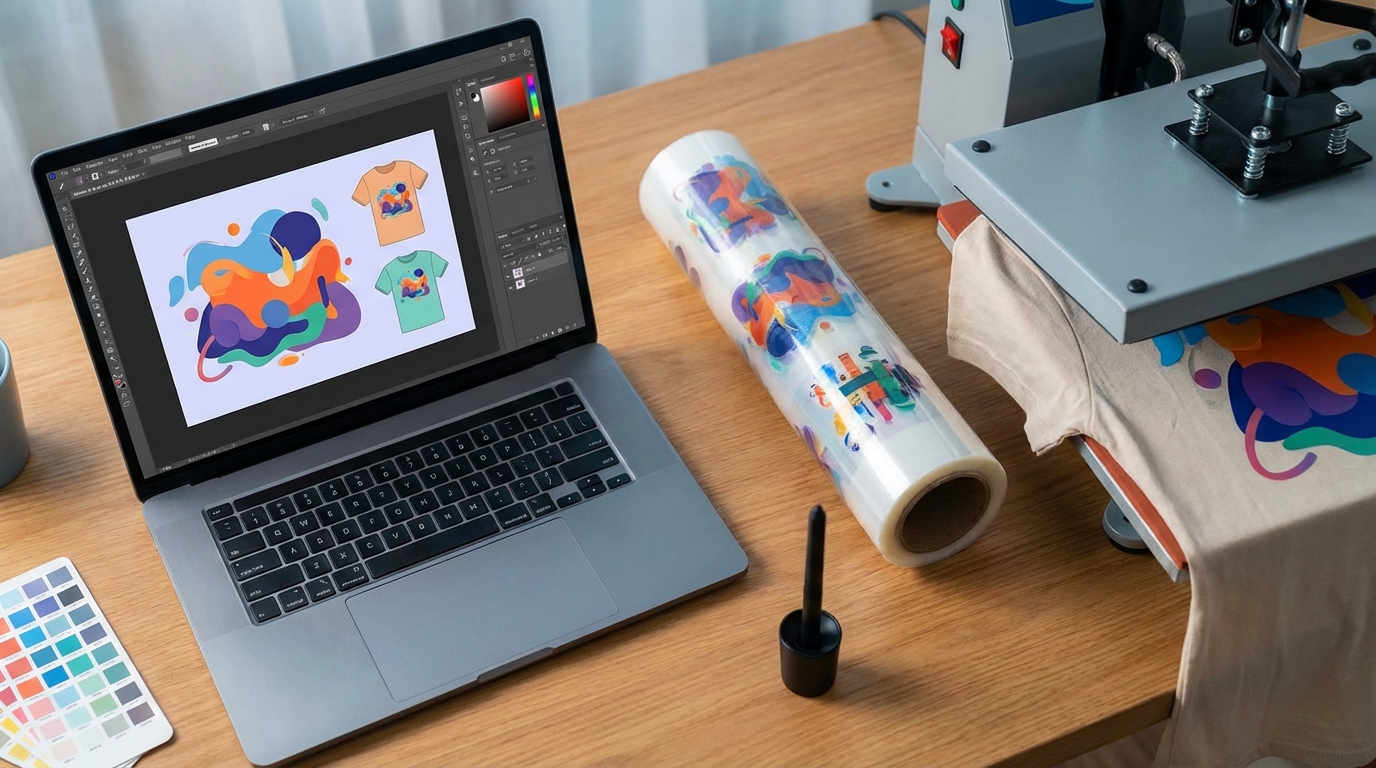
Adobe Illustrator is available as part of the Adobe Creative Cloud suite, with a monthly subscription fee. Check the Adobe website for the latest pricing information.
CorelDRAW Graphics Suite is a powerful and versatile alternative to Adobe Illustrator, offering a comprehensive set of tools for vector illustration, page layout, and photo editing. It's a popular choice for designers creating DTF transfer designs due to its user-friendly interface and robust features.
CorelDRAW Graphics Suite offers both subscription and one-time purchase options. Visit the Corel website for current pricing.
Affinity Designer is a professional-grade vector graphics editor that offers a compelling alternative to Adobe Illustrator and CorelDRAW. It's known for its speed, precision, and affordability, making it a great option for designers creating dtf transfer designs on a budget.
Affinity Designer is available for a one-time purchase. Check the Affinity website for the latest pricing.
Inkscape is a powerful, free, and open-source vector graphics editor. While it may not have all the bells and whistles of paid software, it's a surprisingly capable tool for creating DTF transfer designs, especially for those on a tight budget.
Inkscape is completely free to download and use.
While primarily a photo editing software, Adobe Photoshop can be used to create dtf transfer designs, especially those that heavily rely on raster-based images and effects. It's particularly useful for incorporating photographs and creating complex textures.
Adobe Photoshop is available as part of the Adobe Creative Cloud suite, with a monthly subscription fee. Check the Adobe website for the latest pricing information.
GIMP (GNU Image Manipulation Program) is a free and open-source raster graphics editor that serves as a viable alternative to Adobe Photoshop. While it may not have all the advanced features of Photoshop, it's a capable tool for creating and editing images for DTF transfer designs, especially when working with photographs or textures.
GIMP is completely free to download and use.
Canva is a user-friendly online design platform that's perfect for beginners and those who need to create simple dtf transfer designs quickly. While it's not as powerful as dedicated vector graphics editors, it offers a wide range of templates and design elements that can be easily customized.
Canva offers a free version with limited features, as well as paid subscriptions with access to more templates, graphics, and features. Check the Canva website for the latest pricing information.
Selecting the best dtf transfer design software depends on your specific needs, skill level, and budget. For professional-grade vector graphics, Adobe Illustrator and CorelDRAW are excellent choices. Affinity Designer offers a more affordable alternative, while Inkscape provides a free and open-source option. Adobe Photoshop and GIMP are suitable for raster-based designs, and Canva is a great option for beginners who need to create simple designs quickly.
No matter which software you choose, remember that practice and experimentation are key to mastering the art of DTF transfer design. Consider exploring resources like DTF Center's custom DTF transfers to bring your designs to life with high-quality, durable prints. Explore DTF Transfer Options.
Ultimately, the best software is the one that allows you to express your creativity and achieve the desired results for your DTF transfers. Understanding the strengths and limitations of each option will help you make the right choice for your specific needs. And remember, DTF Center is here to provide you with custom DTF transfers, UV DTF stickers, and related services to bring your designs to life.
Adobe Illustrator and CorelDRAW are widely considered the best software options for creating vector graphics for DTF transfers due to their powerful tools and precise control over vector shapes.
Yes, you can use Photoshop for DTF transfer designs, especially those that incorporate raster-based images and effects. However, for designs that require sharp, scalable graphics, vector-based software like Adobe Illustrator or CorelDRAW is recommended.
Yes, Inkscape and GIMP are both free and open-source software options that can be used for DTF transfer design. Inkscape is a vector graphics editor, while GIMP is a raster graphics editor.
Key features to look for include vector design tools, color management, compatibility with CMYK color mode, layer-based editing, and the ability to export designs in high resolution.
To ensure accurate color reproduction, use software that supports CMYK color mode and calibrate your monitor regularly. It's also important to work with a reputable DTF transfer provider like DTF Center that uses high-quality inks and printing processes.
About DTF Center
DTF Center specializes in providing high-quality custom DTF transfers and UV DTF stickers with same-day shipping and local pickup options. They focus on delivering durable, vibrant prints perfect for apparel and promotional items, ensuring customer satisfaction with every order. Explore their services and bring your designs to life!
